Commissioning HENGCHUN CKD Series Electric Valves: Display, Operation, IR Setter & Menus (+ CKDII Card)
A process-unit crew operates 17 HENGCHUN electric valves, including inlet valves of lean/semi-lean solvent pumps, outlet valves of the Fischer-Tropsch recycle gas compressor and purified-gas valves. Using the CKD series intelligent actuator as the example, this article compiles the display and operation basics, commissioning steps and the complete infrared-setter menu workflow.
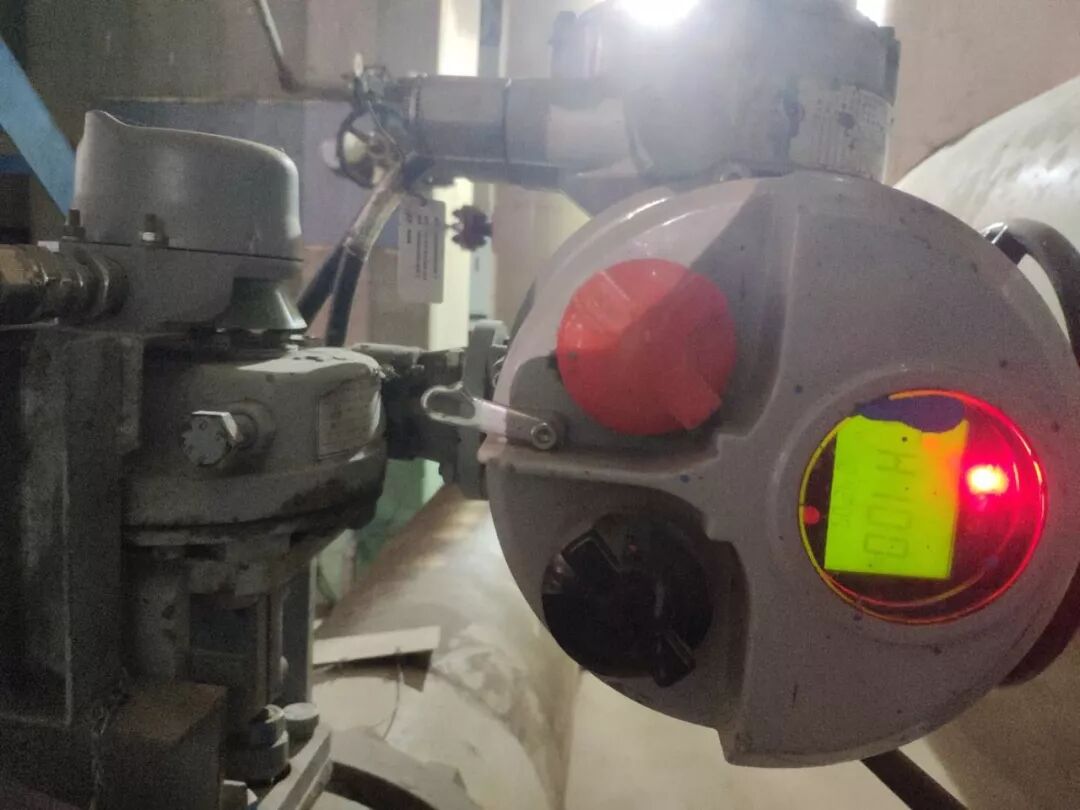
1. Display
The CKD uses a high-definition, high-contrast LCD with symbols — clear and easy to read. The large backlit display shows valve position, torque and functional status even at night. Three LEDs (green/yellow/red) indicate valve position and remain visible in harsh environments.
2. Operation
- Manual: for setting or power loss — set the mode selector to STOP or LOCAL, push the handwheel in and turn to adjust; pull the handwheel out before electric operation
- Local: set the red mode knob to LOCAL ("L **%" shown) and control with the black knob; jog or maintain modes are selectable via the setter
- Remote: digital or analog signal control
3. Commissioning
- Mechanical position calibration (open the top cover): factory default is fully closed (clockwise closing), 90° travel. After connecting the valve/damper, handwheel it closed and tighten the close mechanical limit screw; same for open
- If a travel angle other than the default 90° is needed, loosen the two socket screws of the sliding plate, slide it along the circumference to the required position and retighten (fine electronic-limit adjustment)
- Remote control: digital — set the board switch to "digital", mode knob to remote ("rH" shown), apply open/close/stop signals; analog — select "analog" ("rA" shown), apply 4–20 mA
- Remote feedback: four volt-free contacts (5 A/250 VAC or 5 A/30 VDC) for indication, two by default; plus 4–20 mA position signal
4. Infrared Setter
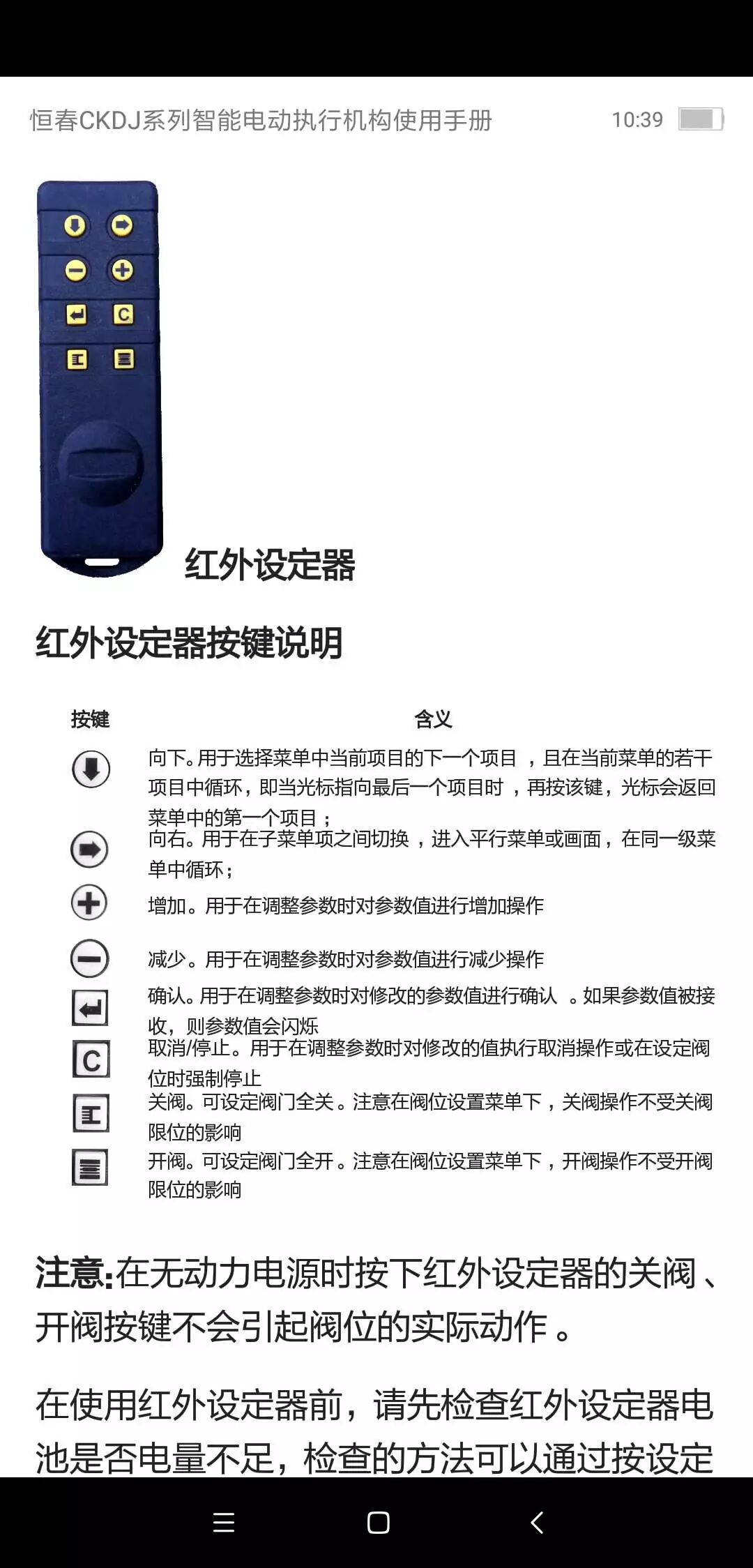
The setter performs non-intrusive settings: mode selector at STOP, IR head aimed at the display window within 1 m.
- Entering the menu: aim at the window, press ↓ for the password menu, confirm; to change the password press →, modify with +/-, confirm. Press ↓ again for submenus
- Default menu: in the submenu press → to [dC] default settings, ↓ into [d1] default 1, confirm (low-level menu data reset to defaults; advanced settings unchanged)
Basic valve state settings
- [dC] closing direction: clockwise (C) or counter-clockwise (A); change with -/+ or by handwheel or remote keys (default C)
- [CA] closing mode: [tC] torque-close or [LC] limit-close (default limit-close; torque-close not available on basic types)
Limit settings
- [LC] close limit: position the valve by handwheel or remote keys and confirm; green lamp lights, position shows 0%
- [LO] open limit: same method; red lamp lights, position shows 100%
- Note: handwheel adjustment is recommended; at full open/close, back off half a turn before confirming. If adjusting electrically, stop near the ends and finish manually for valve safety
Local control and remote digital settings
- [NL] local control state (in [AC] advanced settings): [OF] no holding (keys must be held), [ON] holding (keys latch)
- [NR] remote digital jog: ON = a single pulse holds the command; OF (default) = signal must stay present or the actuator stops
Contact settings
Four status relays, each configurable to pick up/drop for a chosen state; contact type NO or [NC]. Defaults: S1-0%, S2-100%, S3-0%, S4-100%.
5. Menu Tree
See the figure for the full basic-settings menu tree.
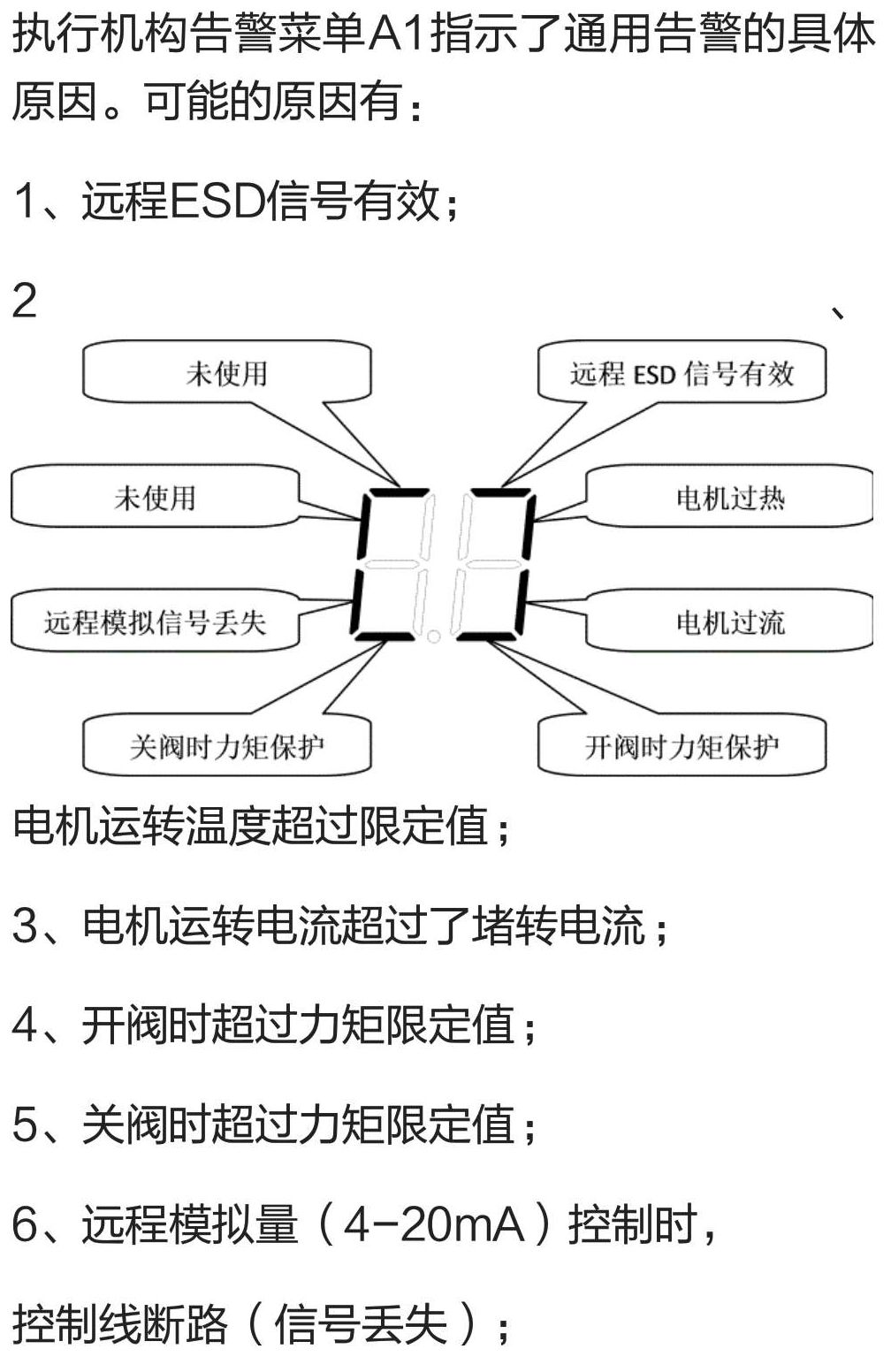
6. Alarm Information
Alarm meanings are shown in the figure (A1 general alarm causes).
7. Appendix: HENGCHUN Valve Commissioning Card (7-Step Limit Setting with the CKDII Setter)
This commissioning card applies to the blue CKDII actuator setter — seven steps for limit setting:
- Check the blue setter (marked: CKDII actuator setter) for battery
- Aim the setter at the LCD; set the red knob to STOP — the display shows L + position
- Press ▼ (password appears), press confirm, press ▼ (enter basic settings)
- When "BC" appears press ▼; when "DC" appears press ▼; when "TC" appears press ▼
- When "LC" appears, handwheel the valve fully closed and press confirm — the display flashes
- Press "▶"; when "LO" appears, handwheel the valve fully open and press confirm — the display flashes
- Press ▼ — L + position appears; set the red knob to REMOTE, commissioning complete
Related reading: HENGCHUN Brand & Product Line Overview; HENGCHUN CKD/CKDJ Intelligent Series; HENGCHUN Valve Commissioning Card